



TL;DR
Microsoft’s Entra resource policy preview can block supported Microsoft Graph requests that break your rules. That includes legitimate automation nobody tested. Roll it out like a production change: trace the real writes, simulate good and bad requests, observe in report-only mode, then enforce with a tested way back. And remember that a policy only judges new requests. It does not scan or repair identity objects that were already wrong.
The policy can be saved before it is live. Microsoft says resource policy assignment changes can take up to ten minutes to affect incoming requests. Retest the actual workflow after that window.
Source: Microsoft Learn, “How Microsoft Entra resource policy evaluation works (preview)”
The Operating Problem
The Policy Worked. The Provisioning Job Failed.
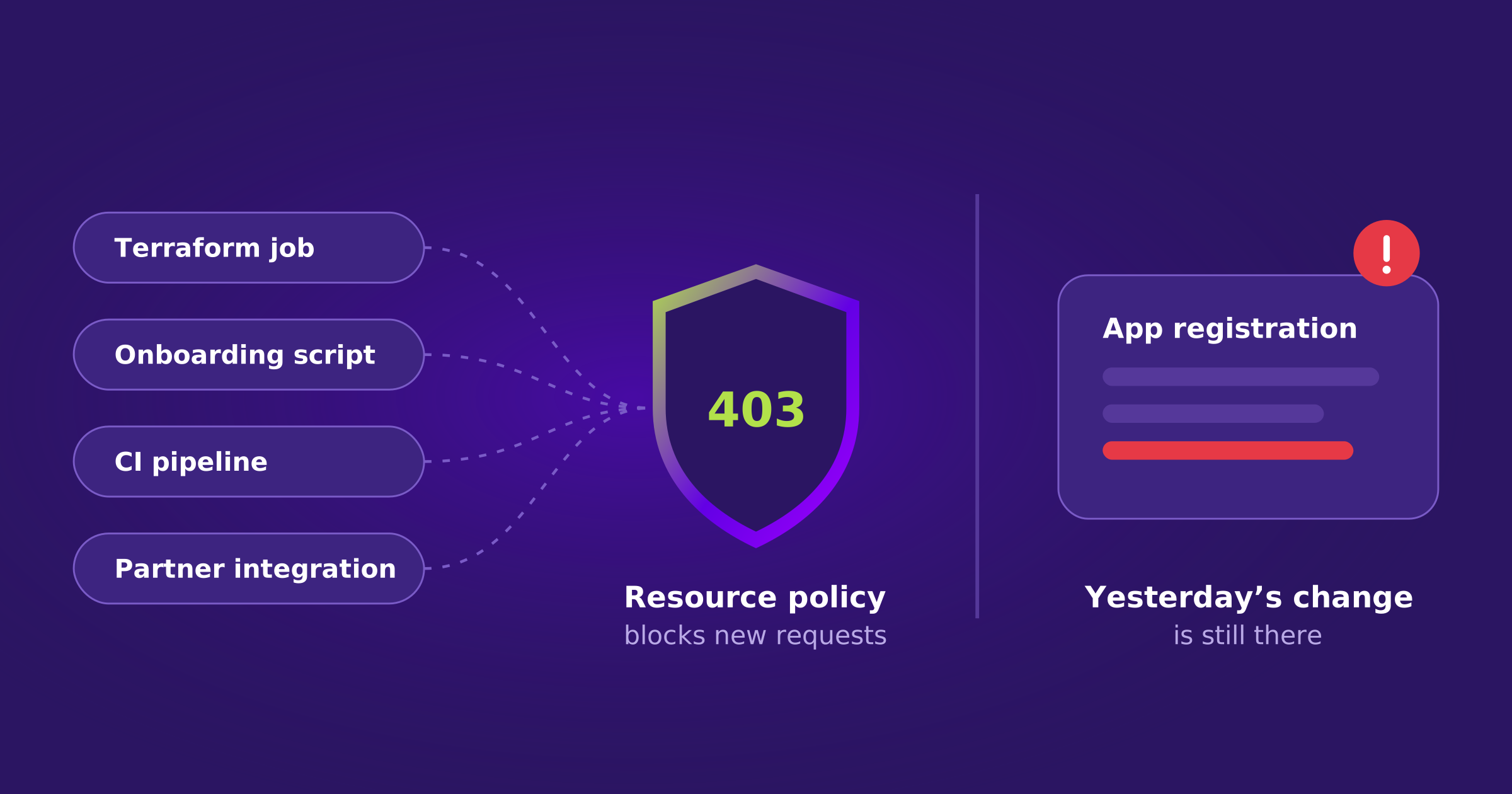
Imagine it’s 2 a.m. A SaaS team’s onboarding job creates an application registration in Microsoft Entra. Yesterday this request succeeded. Tonight Microsoft Graph returns 403, the job retries, and an integration that should have been ready for a customer is still missing in the morning.
The new identity policy may have done exactly what the security team asked it to do. The application name did not match an approved rule, so the request was blocked. Security gained a guardrail. Operations inherited a failed workflow. That is a rollout problem, not a reason to abandon the guardrail.
Microsoft’s Entra resource policy preview gives security teams a way to enforce those guardrails on supported Microsoft Graph requests. In documentation published November 12, Microsoft explains how the preview evaluates requests against built-in or custom Rego rules. In its official tutorial, an app named Inventory-Taker is permitted during report-only testing but rejected under enforcement with 403 and DeniedByResourcePolicy. Sales-Inventory-Taker meets the example rule. This is a Microsoft test case, not a reported breach or customer outage.
That tutorial is a controlled example: one application name either meets the rule or it doesn’t. Production environments are less predictable. The same type of change may come from a person in the portal, a Terraform job, a CI pipeline, an onboarding script, an emergency provisioning process, a partner integration, or a service that runs once a month.
For an IAM team, the question is which legitimate requests the policy could reject and whether those workflows have been tested. The feature applies only to supported resource types, actions, and request shapes. It does not cover every Microsoft Graph operation or grant permissions the caller doesn’t already have. Treat a new policy as a production change, with an owner, a test plan, and a safe rollback path.
A Denied Write Is Not a Recovered Workflow
Returning a policy to report-only may allow the next request. It doesn’t replay a failed job, create the missing integration, or prove that the customer can sign in.
How to Release It Safely
Test the Automation That Runs at 2 a.m.
Microsoft recommends an unusually sensible sequence: simulate requests first, observe real traffic without blocking it, review exceptions, then enforce and test again. The detail that matters is not the toggle. It’s whether someone has actually traced the workflow that could stop working.
| Step | What to Do |
|---|---|
| 1Identify the real writes | Pick the business-critical workflows that create or update identities, apps, groups and assignments. Include scheduled jobs and partners. Record their Microsoft Graph methods, owners and maintenance windows. A job that runs quarterly won’t appear in a one-day report-only test. |
| 2Try good and bad requests | Use Microsoft’s simulated evaluation actions for an allowed request, a rejected request and any approved exception. Test partial updates as well as creates. Check the policy result and evaluation errors, not just an HTTP 200 response from the simulation endpoint. |
| 3Watch before blocking | Run the assignment in doNotEnforce mode long enough to see representative traffic. Review the resource policy audit events by assignment and version. Share the findings with application owners. No log entry is not proof that a rarely used workflow will pass. |
| 4Enforce with a way back | Approve time-limited exceptions only where the policy supports them. Save working parameters and the prior enforced version. After switching to enforce, test both a blocked and an allowed real request. Then test how you would return to the previous policy or report-only mode. |
One detail is easy to miss: Microsoft says assignment changes can take up to ten minutes to propagate. A saved configuration isn’t immediate proof of what the service is enforcing. And a 403 is not always a resource policy denial, so read the actual error and check the policy evaluation records.
Keep the Approval Tied to the Application
An exception should name the owner, the dependency it protects, the work needed to remove it, and the date you will test again. Otherwise it becomes a permanent escape hatch.
What a Guardrail Cannot Do
Blocking Tomorrow’s Mistake Won’t Fix Yesterday’s
Here is the less visible limitation. Entra resource policy evaluates matching requests when they arrive. Microsoft is explicit that assigning a policy does not scan or repair resources that already exist. If an application already has a bad configuration, turning on a rule that would have rejected its creation doesn’t make the current object correct.
Even a clean enforcement rollout leaves a separate IAM job. What did production look like before the policy? Which app registrations, assignments or access settings were already outside your approved design? Were some differences approved during a migration, or did they come from a mistake or an account that should not have made the change?
There are two kinds of rollback, and they should not be confused.
Two Kinds of Rollback
Switching policy modes doesn’t do the second job.
History helps, but a snapshot isn’t automatically a safe answer. A backup might contain the bad access. A previous version might also be missing a legitimate deployment made yesterday. Choose the intended state with the application owner, preserve deliberate security containment, and then verify the result on live objects.
This is also why a green policy evaluation or a successful write is only a step. Check the current values and related assignments. Can the job run? Does the application use the correct identity and receive the intended permissions? Is an unauthorized request still denied? The business needs the right configuration, not merely a different policy status.
Keep the Product Boundary Clear
The new Entra resource policy preview is managed and rolled back through Microsoft. Acsense serves a different purpose: preserving and recovering supported identity objects and relationships, rather than the previous policy definitions themselves.
See Identity Recovery in Action
Compare live Entra ID configuration with an earlier, reviewed state and recover supported identity objects and relationships.
Request a DemoWhere Acsense Fits
The Guardrail Needs an Independent Way Back
For supported Microsoft Entra objects and relationships, Acsense keeps point-in-time identity history and shows teams what changed. It helps compare live configuration with an earlier, reviewed state and recover damaged identity objects and their supported relationships. Protected recovery copies and recorded execution matter when the current tenant isn’t the state you trust. This complements Entra’s native controls rather than replacing them.
| Step | What to Do |
|---|---|
| 1Pick one dependency | Choose an application registration used by a real provisioning or customer-access workflow. Name the service owner, the change approver and the person who will confirm business recovery. |
| 2Test the policy | In a nonproduction tenant, run Microsoft’s official naming-rule example or a representative supported request. Confirm report-only logging, enforcement denial, and the approved exception behavior. |
| 3Roll back the rule | Restore a previously working assignment or return the new one to report-only using Microsoft’s controls. Allow for propagation, then replay the blocked request and verify it succeeds. |
| 4Damage a supported object | In a separate approved test, change an Acsense-supported identity setting or relationship. Compare the observed state with the reviewed baseline, recover the intended value, and check for unrelated legitimate changes. |
| 5Prove working access | Re-run the provisioning flow, inspect the final identity state, and sign in to the application with the intended account. Verify permissions and confirm that an unauthorized request remains blocked. |
A good control stops changes you never wanted. A good recovery plan gets you back from changes that already happened, including the ones your own automation made. Test both before production depends on them.
Protect Your Entire Identity Infrastructure
One platform. Okta and Entra ID. Backup, configuration management, disaster recovery, and compliance under one roof.
Request a DemoFrequently Asked Questions
What is the Microsoft Entra resource policy preview?
A way for security teams to enforce guardrails on supported Microsoft Graph requests. The preview evaluates requests against built-in or custom Rego rules and can block requests that don’t comply.
Does a resource policy fix configurations that already exist?
No. It evaluates matching requests when they arrive. Microsoft is explicit that assigning a policy does not scan or repair resources that already exist.
How long does a policy assignment change take to apply?
Microsoft says assignment changes can take up to ten minutes to affect incoming requests. Retest the actual workflow after that window.
Is every 403 from Microsoft Graph a resource policy denial?
No. Read the actual error and check the policy evaluation records. In Microsoft’s tutorial, a policy denial returns the DeniedByResourcePolicy error code.
Does Acsense back up or roll back Entra resource policies?
No. The resource policy preview is managed and rolled back through Microsoft. Acsense preserves and recovers supported identity objects and relationships, which complements Entra’s native controls.
Key Terms
| Term | Meaning in This Article |
|---|---|
| Entra resource policy | A Microsoft Entra preview feature that evaluates supported Microsoft Graph requests against policy rules before they proceed. |
| Rego | The policy language used for built-in and custom resource policy rules. |
| doNotEnforce (report-only) | An assignment mode that evaluates and logs requests without blocking them. |
| DeniedByResourcePolicy | The error code returned with a 403 when a resource policy blocks a request. |
| Propagation | The time, up to ten minutes, before an assignment change affects incoming requests. |
| Reviewed baseline | An earlier identity state, agreed with the application owner, used to judge what should be recovered. |
