



TL;DR
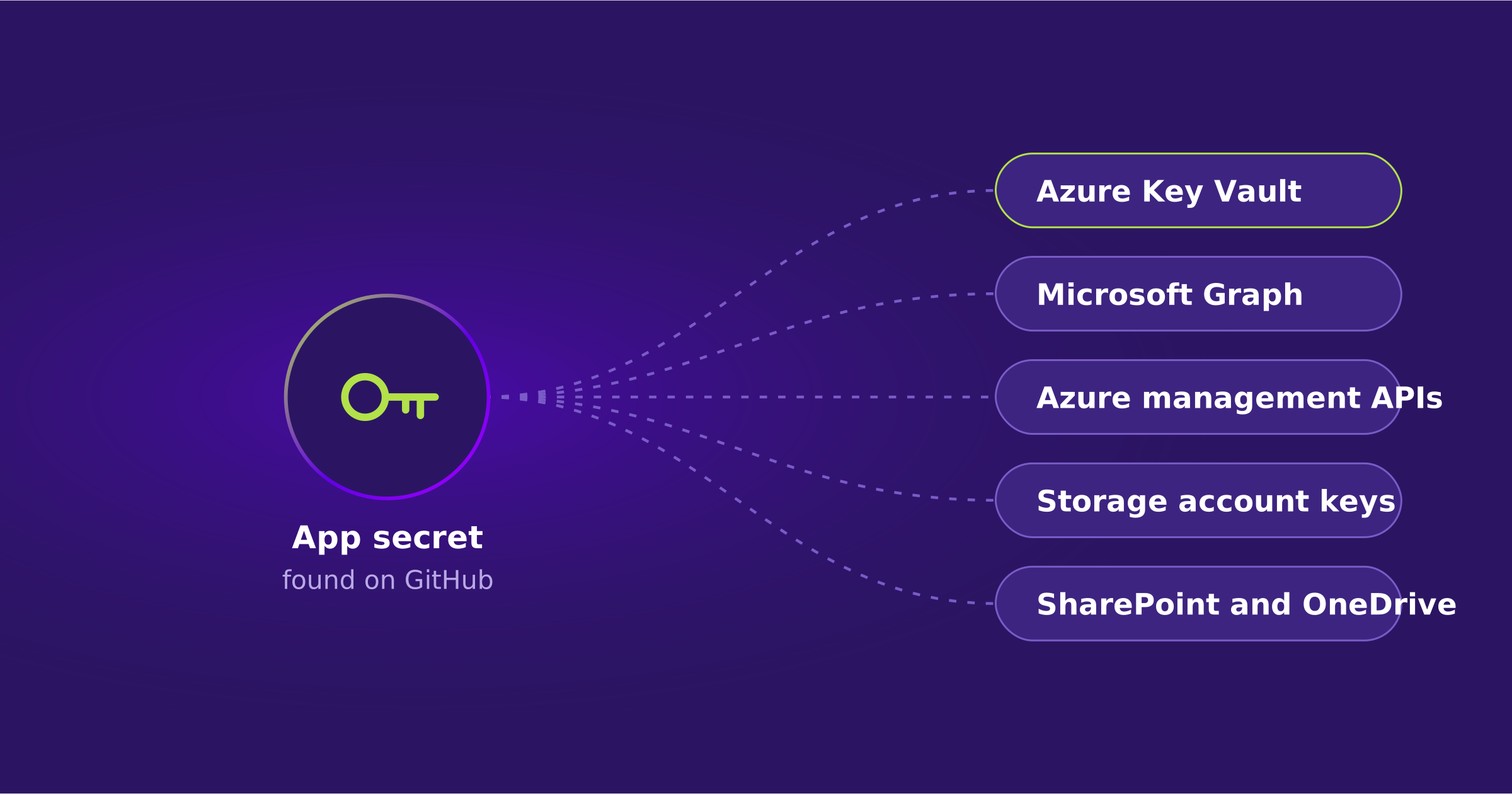
Rotating a leaked application secret fixes the credential, not the exposure. While the secret worked, anyone holding it could sign in as the application and use every permission it had: Key Vault, Azure management APIs, Microsoft Graph, and more. Map what the app could reach, prove what it actually touched, contain the whole credential path, and know how you would restore any identity configuration that changed.
From an exposed app secret on GitHub to extracting Azure Key Vault data, using automated, AI-assisted tooling.
The Operating Problem
Why Rotating a Leaked Secret Isn’t Enough
A developer finds an application secret in a public GitHub repository. The team removes it, rotates the credential, and closes the ticket. That fixes the exposed credential. But what could the application reach while the secret still worked?
Applications sign in to Microsoft Entra ID with their own identities. They do not wait for a person to approve MFA. If the application already has permission to read a vault, use Azure management APIs, or call Microsoft Graph, someone who steals the application’s credential may be able to authenticate as that application and exercise those same permissions.
On November 5, Microsoft Threat Intelligence described activity in which attackers used AI-assisted tooling to search public repositories for credentials and exploit them. In one observed case, the tooling went from finding a secret on GitHub to extracting data from Azure Key Vault in five minutes. Microsoft also reported successful service-principal sign-ins across multiple tenants in activity that began as early as October 28.
Along the way, the attackers looked for more credentials: storage-account keys, connection strings, application settings, and other material that could open additional systems. Microsoft also observed application access to SharePoint and OneDrive content. These findings came from related activity, not necessarily one continuous five-minute intrusion.
The IAM question is not whether the script was written by a person or an AI agent. It is whether anyone knows what the application can access before a credential is compromised. An attacker can figure that out quickly once they’ve exploited a credential. Your team should already know.
The Question After Rotation
Which resources could this application access, which did it actually touch, and did it expose any other usable credentials?
Follow the Application Identity
How to Investigate a Compromised Entra ID Application (4 Steps)
To determine an application’s reach, start by identifying the application and its service principal in Microsoft Entra ID. The app registration defines the application and its authentication setup. The service principal represents the application within a specific tenant. For a third-party multitenant app, each customer tenant has its own service principals, while the vendor owns the home registration.
| Step | What to Do |
|---|---|
| 1Find the right app | Record the application ID, service-principal object ID, tenant, owner, and purpose. Review service-principal sign-ins, including failed attempts and token requests. If it is vendor-owned, identify the vendor contact and which customer tenants use it. |
| 2Map its real permissions | Look at application permissions in Microsoft Graph, Azure role assignments, Key Vault access, and any resource-specific grants. An application named for one job may have permissions added years later for another. |
| 3Check what was accessed | Use Entra sign-in and audit records with Azure Activity, Key Vault, Storage, Microsoft 365, and Azure DevOps logs as applicable. A suspicious sign-in proves an access attempt or token request, but not automatically data theft. Follow the resource logs before making that claim. |
| 4Contain the whole credential path | Preserve evidence, disable the affected app when appropriate, and revoke or replace its secrets, certificates, and federated credentials. Review credentials the app could read and rotate those as needed. Already-issued access tokens can remain valid until they expire. |
One easy mistake is assuming a user MFA policy covers application sign-ins. It does not. Workload identity Conditional Access has different requirements and licensing, and Microsoft currently limits that policy coverage to supported single-tenant service principals. Check the actual policy scope before relying on it.
Keep Two Lists During the Incident
Where Acsense Fits
Recovering Entra ID Configuration After an App Credential Compromise
A stolen application credential can be misused without anyone changing the Entra configuration. In that case, an old identity backup will not tell you which vault secret was read or which file was downloaded. The cloud and security teams still need the relevant service logs to answer those questions.
But sometimes the investigation also finds a changed application configuration, an unexpected grant or assignment, or a modified access policy. Now IAM has a different job: work out which part of the identity setup was changed and what the approved state should be.
For supported Entra ID objects and relationships, Acsense maintains point-in-time identity history that teams can compare against the current tenant. This helps identify what changed and which parts of the configuration may need to be restored. Support varies by provider, object, and recovery path. An older copy is evidence, not proof that the state was safe or approved.
That history also needs to be protected from compromised administrators. Acsense Vault uses isolated, immutable point-in-time recovery copies. The recovery system is designed to offer a trustworthy starting point even when privileged credentials have been abused. Recovery access should not depend only on the identity provider being recovered.
Security teams contain the attacker and investigate what was accessed. Cloud owners rotate exposed secrets and repair resource-level permissions. IAM teams use Acsense, where supported, to restore affected identity configuration with the appropriate approvals. The teams then verify that the Entra configuration is correct, intended application access works, and unauthorized access has been removed. If a vendor owns the application registration, remediation may also require changes on the vendor’s side.
Be Clear About the Boundary
Acsense does not restore Azure Key Vault secret values, reverse data downloads, repair Azure compute resources, or replace cloud incident response. Its role here is to support identity-state history, comparison, and recovery.
See Identity Recovery in Action
Compare earlier Entra ID configurations, review what changed, and restore the approved state with confidence.
Request a DemoA Check Worth Running
Tabletop Exercise: Trace One Integration’s Access
Use a real integration that matters to the business. Bring the application owner, an Entra administrator, and someone responsible for Azure or Microsoft 365 logs. You can do most of the exercise as a review. Any destructive test belongs in a non-production environment.
| Step | What to Do |
|---|---|
| 1Identify the owner | Who created the app, who approves its permissions, and who would notice if it stopped working tomorrow? Record the application’s owner, business purpose, and the tenants where it is used. If nobody can answer these questions, you’ve already found work to do. |
| 2Follow its access | Open the Entra app and service principal. Check Graph permissions, roles, assignments, credential types, and the cloud resources it can reach. Note which grants the application actually needs and which may be excessive. |
| 3Trace one secret | If this app had a leaked client secret, could it read another secret from Key Vault? Could it request a storage key or read an application configuration? Identify the logs that would prove an actual read. |
| 4Walk through containment | Decide who would disable the app, rotate its credentials, investigate issued tokens, and replace downstream keys. List the business processes that would fail during that response. |
| 5Plan the repair | Choose one supported identity configuration change in a test environment. Record its approved state, alter it deliberately, and practice comparing and recovering it. Then verify the application works as expected and has only the access it needs. |
You should leave with a named owner, a permission map, the logs needed to investigate access, a containment plan, and a tested recovery path. If the only answer to a leaked client secret is “rotate it,” the team may be missing the part of the incident that matters most: what the application could access while that credential was valid.
Protect Your Entire Identity Infrastructure
One platform. Okta and Entra ID. Backup, configuration management, disaster recovery, and compliance under one roof.
Request a DemoFrequently Asked Questions
Is rotating a leaked application secret enough?
It fixes the exposed credential, but not the exposure. While the secret worked, anyone holding it could authenticate as the application and use its permissions. You still need to know what the app could reach, what it actually touched, and whether it exposed other usable credentials.
Does a user MFA policy protect application sign-ins?
No. Applications sign in with their own identities and do not wait for MFA approval. Workload identity Conditional Access has different requirements and licensing, and Microsoft currently limits that coverage to supported single-tenant service principals.
Does a suspicious service-principal sign-in prove data was stolen?
No. It proves an access attempt or token request. Follow the resource logs, such as Key Vault, Storage, Azure Activity, and Microsoft 365, before claiming data was accessed.
Do access tokens stop working once the secret is revoked?
Not necessarily. Already-issued access tokens can remain valid until they expire, so plan for that window during containment.
How does Acsense help after an app credential compromise?
For supported Entra ID objects and relationships, Acsense keeps point-in-time identity history that teams can compare against the current tenant to find what changed and restore the approved state. Acsense Vault keeps isolated, immutable recovery copies. Acsense does not restore Key Vault secret values, reverse data downloads, or replace cloud incident response.
Key Terms
| Term | Meaning in This Article |
|---|---|
| App registration | Defines the application and its authentication setup in Microsoft Entra ID. |
| Service principal | Represents the application within a specific tenant. A multitenant app has a service principal in each customer tenant. |
| Workload identity Conditional Access | Conditional Access for application identities, with separate requirements and licensing from user policies. |
| Point-in-time history | Preserved snapshots of identity objects and relationships, compared with the current tenant to see what changed. |
| Immutable recovery copy | A recovery copy that cannot be altered after creation, even by someone holding compromised administrator credentials. |
P.S.
Looking to stay in the loop on the latest IAM trends and updates? Subscribe to the FiveNines IAM newsletter for monthly insights from industry leaders and global news on IAM resilience. Subscribe on LinkedIn.
