



TL;DR
Network segmentation controls which connections are allowed, not what a valid cloud identity can do after it signs in. A stolen integration account keeps every role, group, and application permission it was granted. Trace one critical account end to end, know who owns it, what it can change, when it changed, and how you would put it back, then rehearse that recovery before an incident forces the issue.
What Is the Reach of a Stolen Identity?
The reach of a stolen identity is everything that account can change after it signs in: its roles, group memberships, application assignments, and the permissions granted inside each application, cloud service, or API it can reach. Network segmentation does not limit it, because a firewall governs which connections are allowed, not what a valid identity is authorized to do.
Key Takeaways
- Segmentation governs connections. IAM governs what a valid identity can do once it signs in.
- Integration accounts quietly accumulate access through migrations, reused groups, and one-off exceptions.
- For any critical account, you should know who owns it, what it can change, when it changed, and how you would put it back.
- Disabling a compromised account is often necessary, but it does not undo the changes the attacker already made.
- An older copy is not automatically the right one. Restore the access the business intended, then test a real sign-in.
A Practical IAM Check
| Stage | What Happens |
|---|---|
| 1 Get in | One credential is stolen. |
| 2 Use the access | Existing grants determine the damage. |
| 3 Clean up | Find the changes and put the right access back. |
The Real Problem
The Network Was Locked Down. The Account Still Had Access.
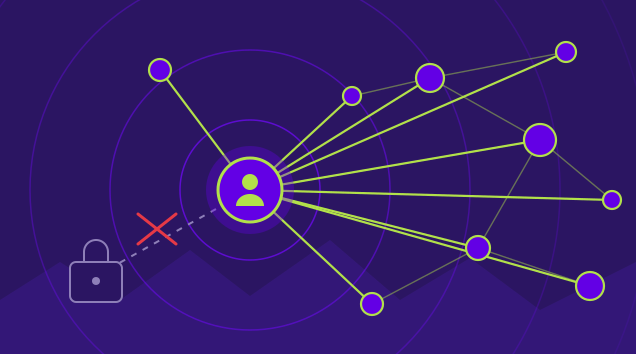
Picture an automation account that connects two business applications. Someone steals its credential. The attacker cannot reach much through the internal network, which is good. But the account also has a privileged role in the identity provider and access to several cloud applications. Those permissions still work. The network controls have not failed. They were never meant to govern all of that access.
This is a hypothetical example, not an incident at JPMorgan. But it is the sort of situation an IAM team should be able to answer questions about before it happens.
Jamie Dimon recently warned that AI will help attackers find weaknesses faster. In the same conversation, he pushed companies to strengthen network segmentation, pay attention to IAM, and fix the problems they already know about. The IAM part deserves more attention than it usually gets.
A firewall tells you which connections are allowed. It does not tell you what a valid cloud identity is authorized to do after it signs in. If an integration has permission to add users, change a policy, or assign a powerful role, an attacker who gets that identity may be able to do those things too.
And this is rarely a neat one-to-one setup. An account created for one integration can pick up another role during a migration. A group gets reused. Somebody grants an exception to get a deployment out the door. Six months later, nobody is quite sure which permissions are still needed.
You do not need a major incident to find this problem. Pick a service account and follow its permissions. The uncomfortable surprises tend to be in the relationships between accounts, groups, roles, and applications, not in the account name itself.
An Uncomfortable Question
If this account were stolen tonight, who could tell you every place it can change access?
Start With One Account
What Can This Identity Actually Change?
Choose one integration account that matters to the business. Not your most complicated one. Pick something that touches a critical application and has a real owner, or should have one. Then open the IdP and trace its group memberships, assigned roles, application access, and authentication methods.
Now call the application owner. Ask what that same identity can do inside the application. The IdP may show that an application is assigned, but it will not necessarily tell you every permission the application grants. Do the same for any cloud service or API it can reach.
You should be able to write down four answers without spending a week on an access review:
| Question | What to Find Out |
|---|---|
| 1 Who owns it? | Who created the account, who approves changes, and who would know whether it is still needed? |
| 2 What can it change? | Could it add an admin, alter a sign-in policy, change group membership, or modify application access? Look for actual actions, not just assigned app names. |
| 3 When did it change? | Check recent role grants, new credentials, policy edits, and assignments. Was each change expected? Who approved it? |
| 4 How would you put it back? | If one of those changes turned out to be malicious, could you identify the right previous state and repair it without breaking legitimate access? |
During an incident, disabling the account or revoking its token may be necessary. It is not always the end of the job. The attacker may already have added another credential, assigned a different administrator, or changed access for somebody else. Those changes need to be found and dealt with separately.
Do Not Stop at the IdP
Ask the application owner what the same account can do after it signs in. Those permissions may live somewhere else.
When the Cleanup Starts
Stopping the Attacker Does Not Undo the Changes
Say the security team finds a compromised automation account and disables it. Good first move. Then IAM discovers that a privileged group gained a new member and an application policy changed during the same window. Which version of those settings should the team put back?
This is where having identity history makes a difference. Acsense preserves point-in-time copies of supported identity objects and relationships in Okta, Microsoft Entra ID, and Auth0. IAM teams can compare earlier configurations with the current state, review what changed, and choose the specific objects or relationships to recover where that recovery is supported. Coverage varies by provider and object type.
There is another problem to plan for: what if the attacker also has administrator credentials? You cannot rely on a recovery record the attacker can rewrite. Acsense Vault keeps immutable recovery copies in an isolated, air-gapped environment. The intent is straightforward: compromising a privileged account should not let somebody go back and change the copies you need for recovery.
Access to the recovery system matters too. If your IdP is unavailable, it should not be your only way into the tools you need to restore it. Acsense recommends separate recovery access rather than relying solely on the customer IdP. Backup data integrity is checked every two weeks. That helps protect the recovery starting point, although it is not the same thing as proving a particular recovery point was safe.
The response still takes people making decisions. Security contains the attacker and checks for other access paths. IAM works with application owners to decide which earlier state was legitimate. Acsense supports the agreed recovery work for supported configurations, users, groups, policies, and assignments. Then the team checks the resulting IdP configuration and tests access to the applications that matter.
Not everything lives in the IdP. An application-side permission, token, secret, or trust setting may need separate work. You also do not want to restore a bad configuration just because it is older. The goal is not to make the screen look like yesterday. It is to put back the access the business actually intended.
An Older Copy Is Not Automatically the Right One
Check when the unauthorized changes began and what legitimate changes happened afterward. Choose what to restore with the people who own that access.
See Identity Recovery in Action
Compare earlier configurations, review what changed, and put the right access back across Okta, Entra ID, and Auth0.
Request a DemoTry This in Your Next IAM Meeting
A 40-Minute Test Worth Running
Pick one important application and the admin or integration identity that can change access to it. Bring the IAM owner, a security responder, and the application owner together. Use a test environment if you are going to change anything. Keep the exercise small enough that you can finish it.
| Step | What to Do |
|---|---|
| 1 Follow the access | Find the account, roles, groups, policies, app assignments, and any permissions managed inside the application. Write down where you had to ask someone else. |
| 2 Question the grants | Which privileges are actually needed? Which ones were temporary but never removed? Does every credential and privileged role have an owner? |
| 3 Pick a real change | Find a recent legitimate permission or policy update. Can you show what it looked like before, what changed, and why the change was approved? |
| 4 Walk through a recovery | Pretend the same change was unauthorized. Decide what to revoke, which point in time you would trust, and what you could restore. Note any application-side steps. |
| 5 Test the result | Check the IdP state. Then have the app owner test a real sign-in or workload operation. An API returning success is not the same as somebody getting back into the system. |
At the end, you should know where one identity has too much reach, which permissions need a second owner, and how long it takes your team to find and reverse a bad change. That is more useful than simply counting how many accounts were reviewed.
AI may make finding weaknesses faster. Your team can still decide how much a stolen identity can do, keep a reliable record of changes, and practice getting the right access back before an incident forces the issue.
Protect Your Entire Identity Infrastructure
One platform. Okta and Entra ID. Backup, configuration management, disaster recovery, and compliance under one roof.
Request a DemoFrequently Asked Questions
Why doesn’t network segmentation stop a stolen cloud identity?
A firewall tells you which connections are allowed. It does not tell you what a valid cloud identity is authorized to do after it signs in. If an integration has permission to add users, change a policy, or assign a powerful role, an attacker who gets that identity may be able to do those things too.
What four questions should an IAM team answer about a critical integration account?
Who owns it, what it can change, when it changed, and how you would put it back. That means knowing who approves changes, which real actions it can take (adding an admin, altering a sign-in policy, changing group membership or application access), which recent grants and edits were expected, and whether you could identify and restore the right previous state without breaking legitimate access.
Does disabling a compromised account undo what the attacker changed?
No. Disabling the account or revoking its token may be necessary, but the attacker may already have added another credential, assigned a different administrator, or changed access for somebody else. Those changes need to be found and dealt with separately.
Is the oldest backup always the safest one to restore?
No. An older copy is not automatically the right one. Check when the unauthorized changes began and what legitimate changes happened afterward, and choose what to restore with the people who own that access. The goal is to put back the access the business actually intended.
How does Acsense help recover from a compromised identity?
Acsense preserves point-in-time copies of supported identity objects and relationships in Okta, Microsoft Entra ID, and Auth0, so IAM teams can compare earlier configurations with the current state and recover specific objects or relationships where supported. Acsense Vault keeps immutable recovery copies in an isolated, air-gapped environment, and Acsense recommends separate recovery access rather than relying solely on the customer IdP. Coverage varies by provider and object type.
Key Terms
| Term | Meaning in This Article |
|---|---|
| Integration account | A non-human account that connects business applications. It can hold privileged IdP roles and cloud application access beyond what the integration needs. |
| Network segmentation | Controls which network connections are allowed. It does not govern what a valid cloud identity is authorized to do after it signs in. |
| Application-side permissions | Permissions granted inside an application. The IdP may show the app as assigned without showing these. |
| Point-in-time copy | A preserved snapshot of identity objects and relationships. Teams compare it with the current state to see what changed and recover specific items. |
| Immutable recovery copy | A recovery copy that cannot be altered after creation, even by someone holding compromised administrator credentials. |
| Air-gapped | Isolated from the production identity environment, so an attacker inside that environment cannot reach the stored copies. |
| Separate recovery access | A way into recovery tools that does not rely solely on the customer IdP, which may be unavailable or compromised. |
